Finally Run Real Python to Simplify Your Complex Automations
How to replace 20+ workflow nodes with one Python webhook
If you've ever built a complex automation in Zapier, Make, or n8n, you know the feeling: what starts as a simple workflow quickly spirals into a tangled mess of nodes, filters, paths, and workarounds. And just when you think it's done, an edge case breaks everything.
In this guide, we'll walk through a real-world example of workflow complexity gone wrong—and show you how to solve it with a single Python script.
The Problem: Email Attachments Become ZIP Files
Eduardo, a Zapier user, had a seemingly simple goal:
"How do I save email attachments as separate files in Evernote instead of a zip file?"
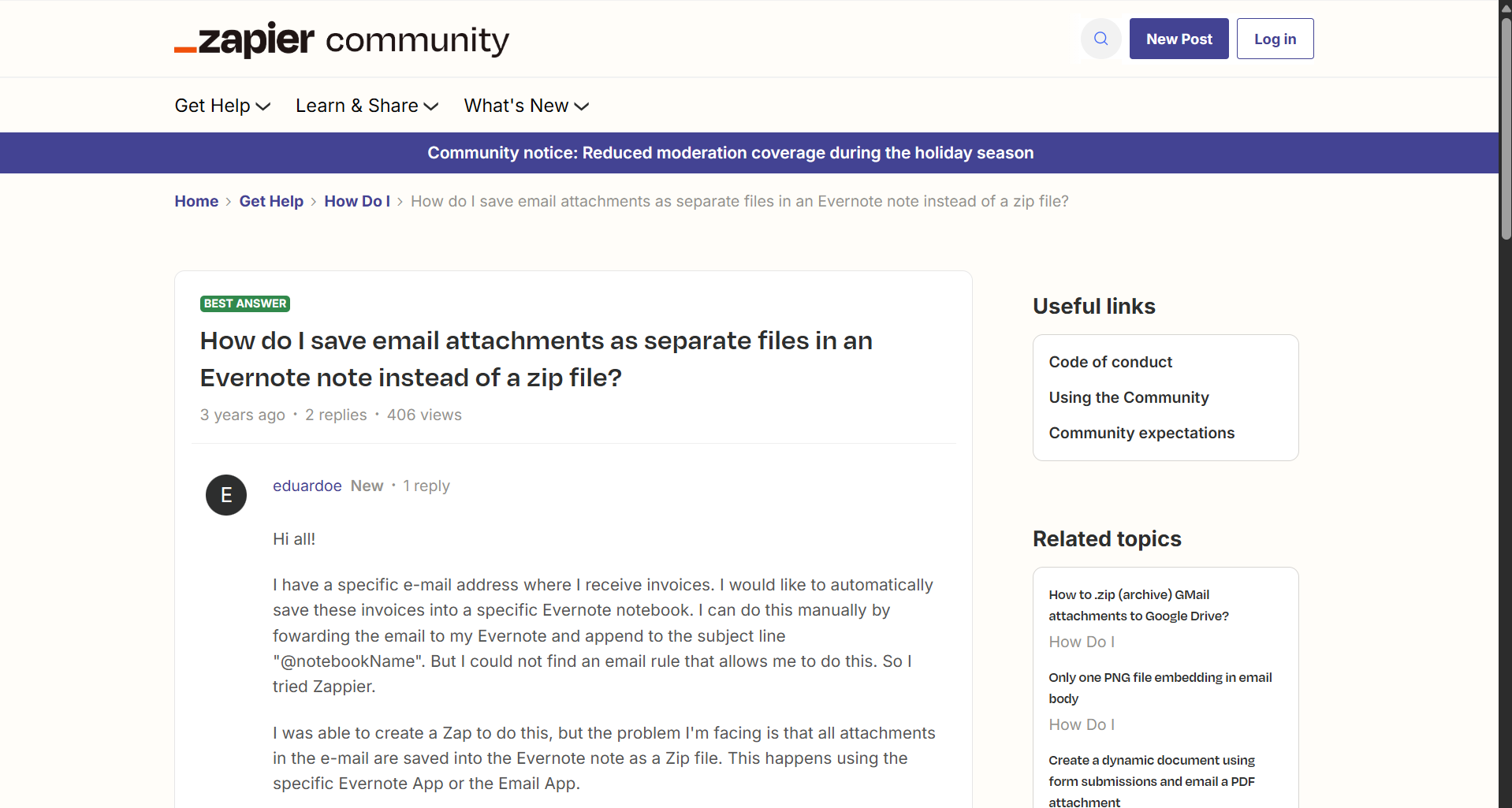
This is a common challenge. When an email has multiple attachments, Zapier bundles them into a ZIP file before passing them to the next step. But Eduardo wanted each attachment—specifically invoices, receipts, and refunds—saved individually.

The recommended workaround? Create a separate Gmail account just to use the "New Attachment" trigger. But this creates a new problem: one Evernote note per attachment, scattering transaction data across multiple notes.
Not a satisfying solution.
Attempt #1: Extract ZIP + Merge PDFs
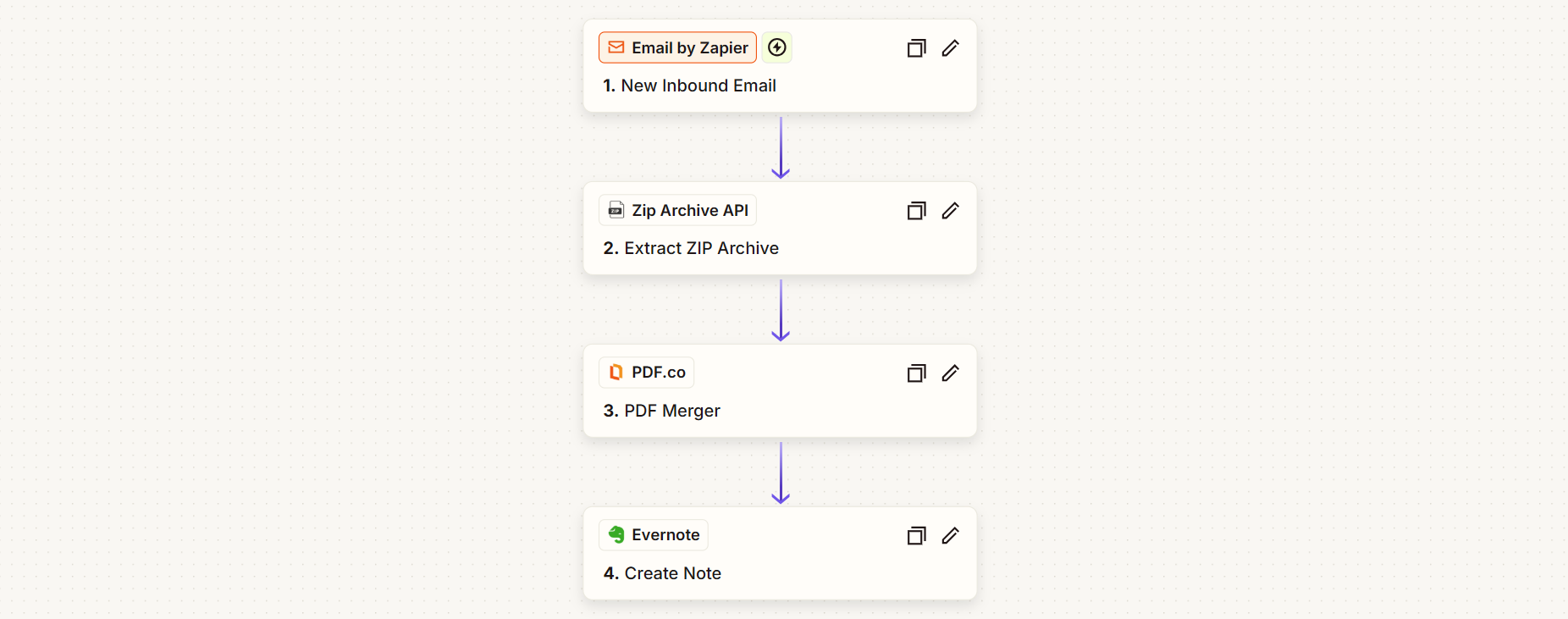
Let's try a different approach. We go back to the base workflow and add two steps:
- Extract the ZIP archive
- Merge all extracted PDFs into one
Now when we send an email with two attachments, we get one Evernote note with both PDFs merged inside.
But there's a catch: what if the email has only one attachment? There's no ZIP to extract—and the workflow breaks with an error.
Attempt #2: Add Branching Logic
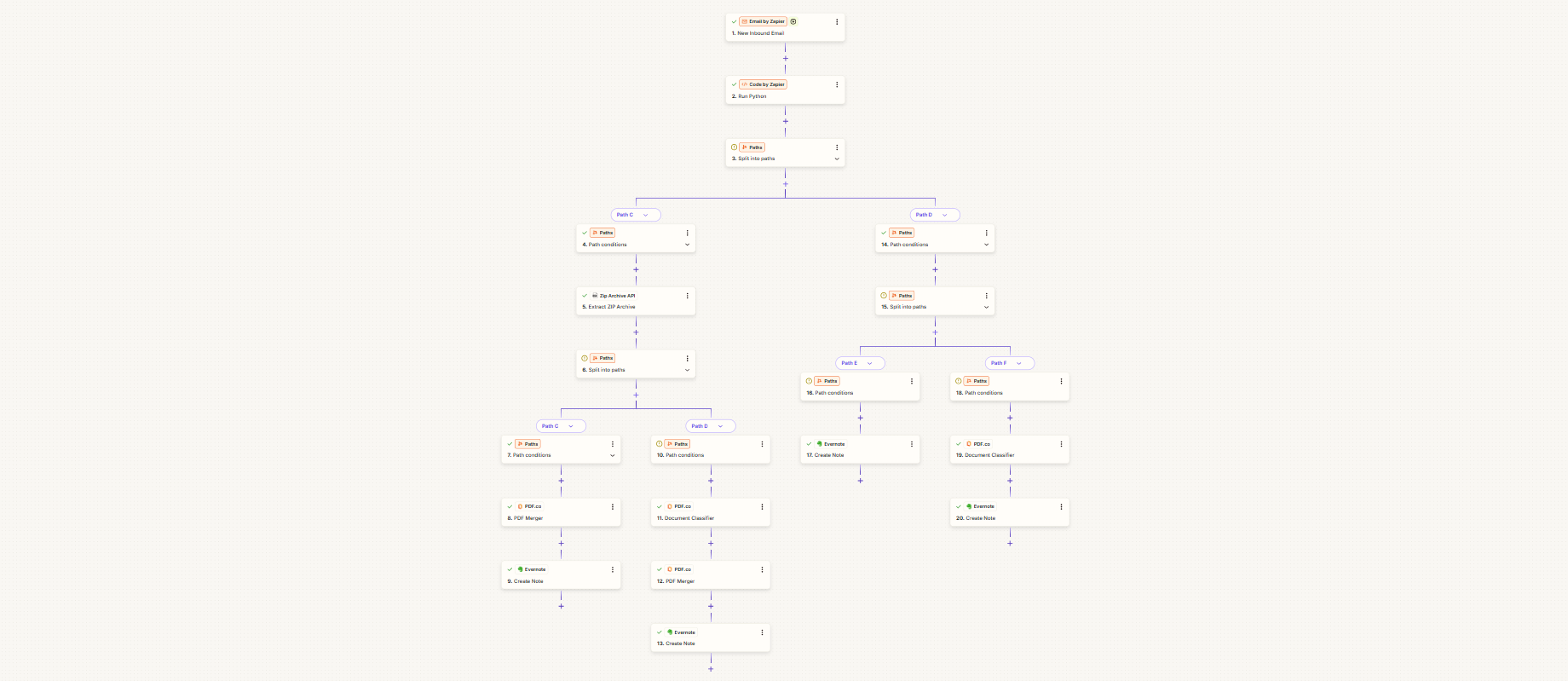
To handle both cases (one attachment vs. multiple), we need to add a Python script that checks the attachment count and routes to different paths:
- One attachment → Upload directly
- Multiple attachments → Extract, filter, merge, then upload
We also add a filter: only process files named "invoice," "refund," or "receipt."
This approach works for most cases. But we're still hitting walls:
- What about spam emails with malicious attachments?
- What about non-PDF files?
- What about invoices that don't have "invoice" in the filename—like files named with just a transaction number?
To handle these edge cases properly, we'd need to add OCR, document classification, content analysis... and suddenly our "simple" workflow is 20+ nodes deep.
The Real Problem: No-Code Hit Its Limits
Here's the truth: some workflows are just too complex for visual node-based automation.
The more edge cases you handle, the more nodes you add. Each node costs money. Each branching path makes debugging harder. And you're still limited by what the platform allows—timeout limits, restricted libraries, sandbox environments.
The Solution: One Python Script
What if we could keep just the trigger and the final upload step, and replace everything in between with a single webhook?
That's exactly what we did.
Step 1: Set Up the Script
Using Apyrun's Prompt Builder, we describe what the script should do:
- Receive file attachments via webhook from Zapier
- Handle both ZIP files and individual PDFs
- Filter by filename keywords (invoice, receipt, refund)
- Analyze document content for classification
- Merge multiple PDFs into one
- Return the processed file
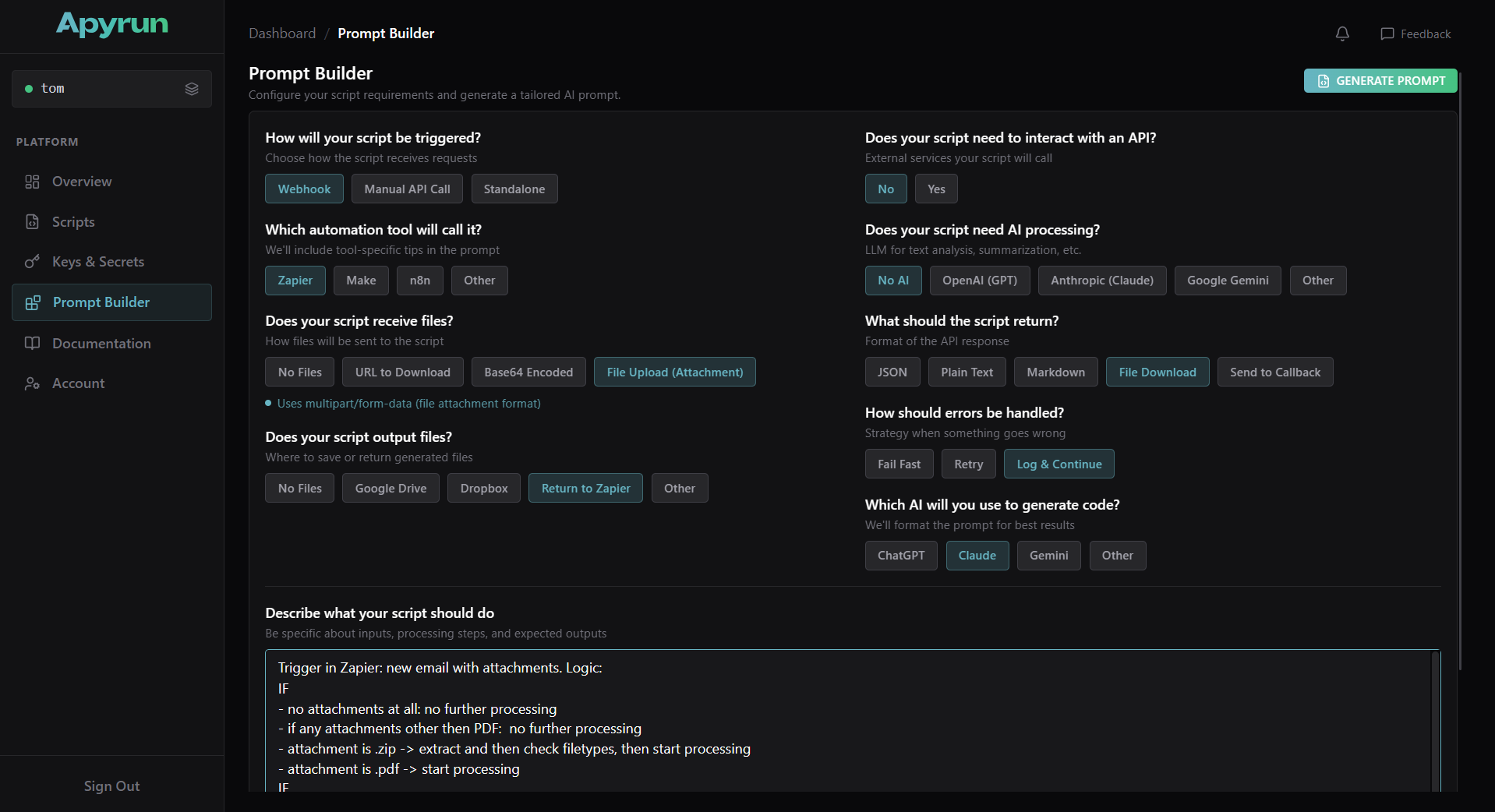
The Prompt Builder generates a structured prompt. We paste it into Claude (or any LLM), and it generates the Python code.
Step 2: Deploy
We paste the Python code into Apyrun, click Deploy, and the script is live. We get a webhook URL like:
https://apyrun.io/eduardo/invoice-sorting/webhook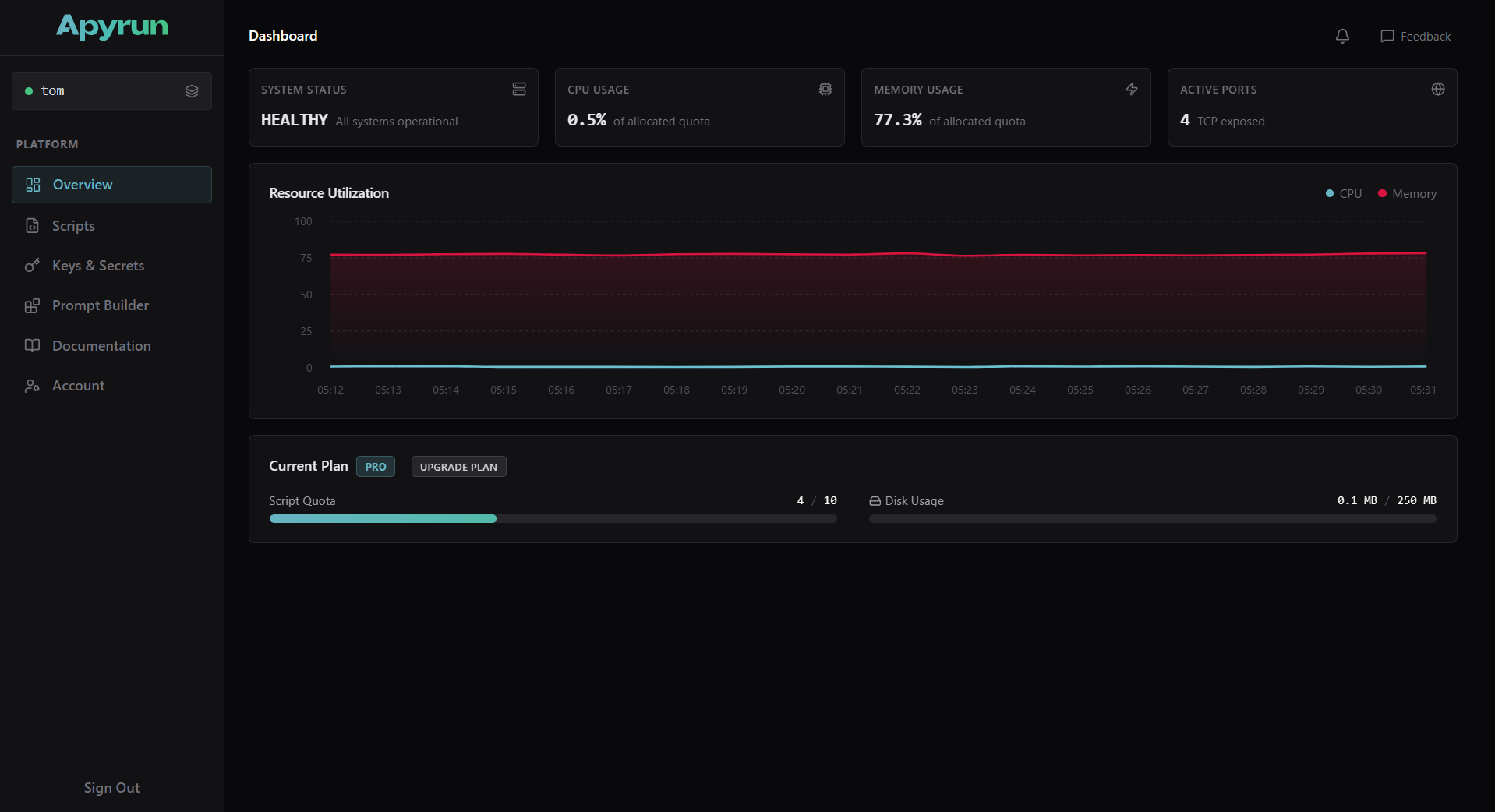
Step 3: Connect to Zapier
Back in Zapier, we replace all those nodes with a single Webhooks by Zapier action:
- Method: POST
- URL: The webhook URL from Apyrun
- Headers:
Authorization: Bearer <your-token> - Data: The email attachment
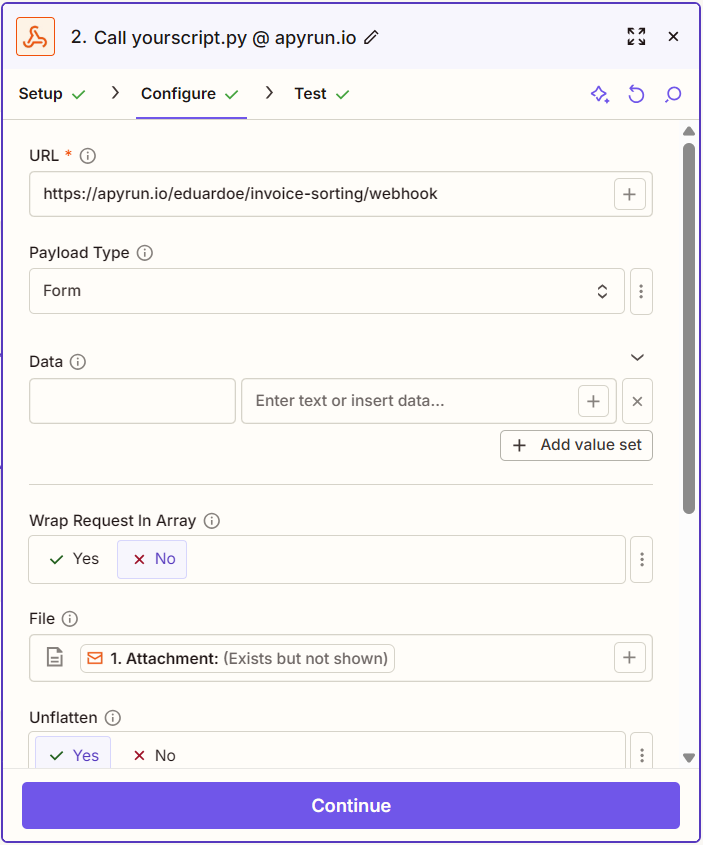

The webhook returns a temporary file URL, which we pass to the Evernote upload step.
Final workflow: 3 steps. Trigger → Webhook → Upload.
If we were uploading to Google Drive or Dropbox (which have easier API access), it would be just 2 steps.

The Results
We tested multiple scenarios:
| Test Case | Result |
|---|---|
| One PDF attachment | ✅ Uploaded correctly |
| Two PDF attachments | ✅ Merged and uploaded |
| Attachments without "invoice" in filename | ✅ Content analyzed, correctly classified |
| Non-accounting documents (Terms of Service) | ✅ Filtered out |
The logs show exactly what happened:
Extracted from ZIP: 2 PDFs found
Filename match: invoice.pdf
Content match: Transaction ID detected
From 20+ steps to 3.
Why Code Beats LLMs for This
You might think: "Why not use AI to classify documents?"
You could. But consider this:
- LLMs have error rates—maybe 2-5% hallucination or format variation
- For 1,000 inputs, code gives you 1,000 consistent outputs
- You don't pay per API call for your own logic
Use AI where it excels (creative tasks, ambiguous inputs). Use code where consistency and reliability matter.
Try It Yourself
If you're hitting the limits of Zapier, Make, or n8n—whether it's timeout errors, library restrictions, or just too many nodes—you can run real Python code via webhook with Apyrun.
What you get:
- Deploy Python scripts as always-on webhooks
- No timeout limits
- Pre-installed packages (PDF processing, image handling, web scraping, and more)
- Works with Zapier, Make, n8n, or any tool that can call a webhook